Note
This page was generated from a Jupyter notebook.
Download: bcdi_pipeline_example.ipynb
BCDI Pipeline#
A Notebook to Run the BcdiPipeline Instance#
This notebook provides a structured workflow for running a Bragg Coherent Diffraction Imaging (BCDI) pipeline.
The BcdiPipeline class handles the entire process, including:
Pre-processing → Data preparation and corrections.
Phase retrieval → Running PyNX algorithms to reconstruct the phase.
Post-processing → Refining, analysing (get the strain!), and visualising results.
You can provide either:
A YAML parameter file for full automation.
A Python dictionary for interactive control in this notebook.
[ ]:
# import required packages
import os
import cdiutils # core library for BCDI processing
General Parameters#
Here, define the key parameters for accessing and saving data before running the pipeline.
These parameters must be set manually by the user before execution.
The output data will be saved in a structured directory format based on
sample_nameandscan. However, you can change the directory path if you like.
[3]:
# define the key parameters (must be filled in by the user)
beamline_setup: str = "id01" # example: "ID01" (provide the beamline setup)
experiment_file_path: str = "/scisoft/clatlan/dev/cdiutils/tests/raw_data/id01/dislocation/ihhc3936_id01.h5" # example: "/path/to/experiment/file.h5"
sample_name: str = "PtYSZ_0001" # example: "Sample_Pt"
scan: int = 54 # example: 42 (specify the scan number)
# choose where to save the results (default: current working directory)
dump_dir = os.getcwd() + f"/results/{sample_name}/S{scan}/"
# load the parameters and parse them into the BcdiPipeline class instance
params = cdiutils.pipeline.get_params_from_variables(dir(), globals())
bcdi_pipeline = cdiutils.BcdiPipeline(params=params)
[INFO] BcdiPipeline initialised.
Dump directory already exists, results will be saved in:
/mnt/multipath-shares/scisoft/clatlan/dev/cdiutils/tests/results/PtYSZ_0001/S54/.
Pre-Processing#
If you need to update specific parameters, you can pass them directly into the preprocess method.
Main Parameters#
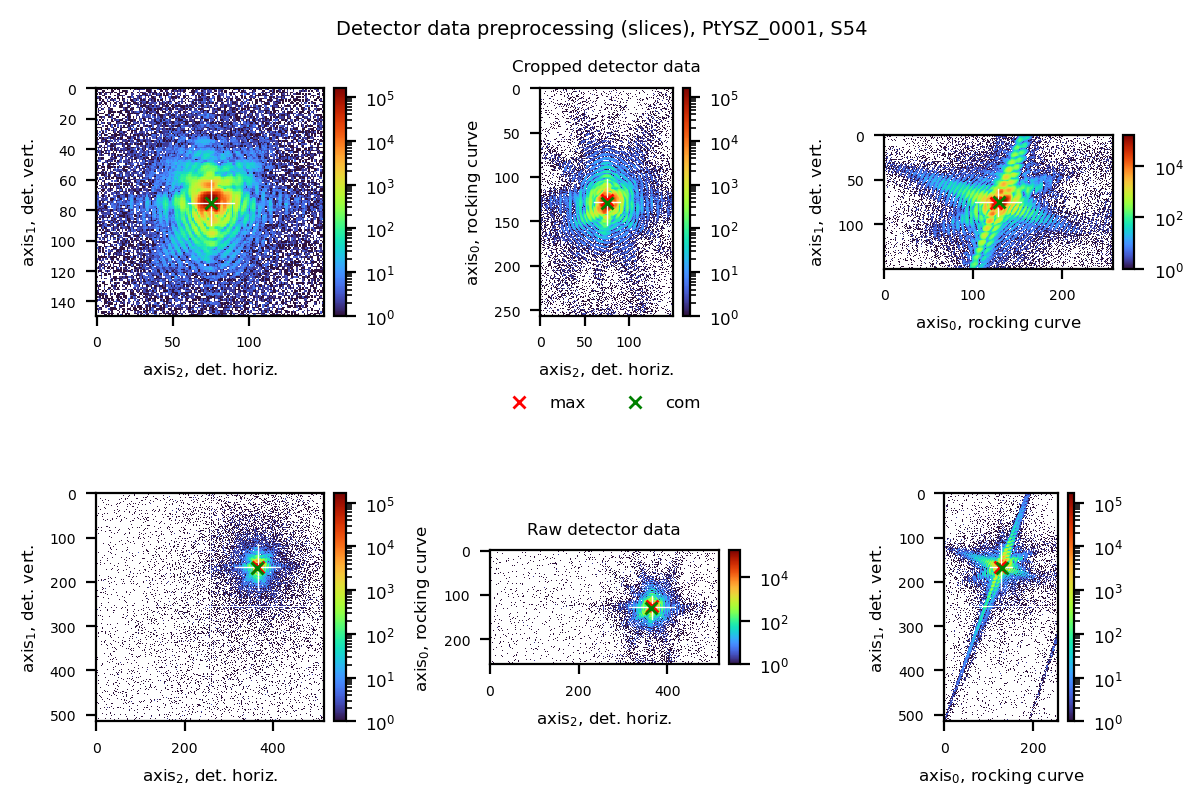
preprocess_shape→ The shape of the cropped window used throughout the processes.Can be a tuple of 2 or 3 values.
If only 2 values, the entire rocking curve is used.
voxel_reference_methods→ Alist(or a single value) defining how to centre the data.- Can include
"com","max", or atupleofint(specific voxel position). Example:
voxel_reference_methods = [(70, 200, 200), "com", "com"]
This centres a box of size
preprocess_shapearound(70, 200, 200), then iteratively refines it using"com"(only computed within this box).Useful when
"com"fails due to artifacts or"max"fails due to hot pixels.Default:
["max", "com", "com"].
rocking_angle_binning→ If you want to bin in the rocking curve direction, provide a binning factor (ex.:2).light_loading→ IfTrue, loads only the ROI of the data based onvoxel_reference_methodsandpreprocess_output_shape.hot_pixel_filter→ Removes isolated hot pixels.Default:
False.
background_level→ Sets the background intensity to be removed.Example:
3.Default:
None.
hkl→ Defines the Bragg reflection measured to extend d-spacing values to the lattice parameter.Default:
[1, 1, 1].
[3]:
bcdi_pipeline.preprocess(
preprocess_shape=(150, 150), # define cropped window size
voxel_reference_methods=["max", "com", "com"], # centring method sequence
hot_pixel_filter=False, # remove isolated hot pixels
background_level=None, # background intensity level to remove
)
[INFO]
*******************************************************************************
* Starting process: preprocess *
*******************************************************************************
[INFO] Additional parameters provided, will update the current dictionary of parameters.
[INFO]
Shape already in agreement with pynx shape conventions.
[INFO] Raw detector data shape is: (257, 516, 516).
[INFO] Energy successfully loaded (8999.999342027731 eV).
[INFO]
det_calib_params not provided, will try to find them. However, for a more accurate calculation, you'd better provide them.
[INFO] det_calib_params successfully loaded:
{'cch1': 183.66818834436071, 'cch2': 239.2862465330885, 'pwidth1': 5.5e-05, 'pwidth2': 5.5e-05, 'distance': 0.9041015096551395, 'tiltazimuth': 0.0, 'tilt': 0.0, 'detrot': 0.0}
[INFO] The preprocessing output shape is: and (257, 150, 150) will be used for the determination of the ROI dimensions.
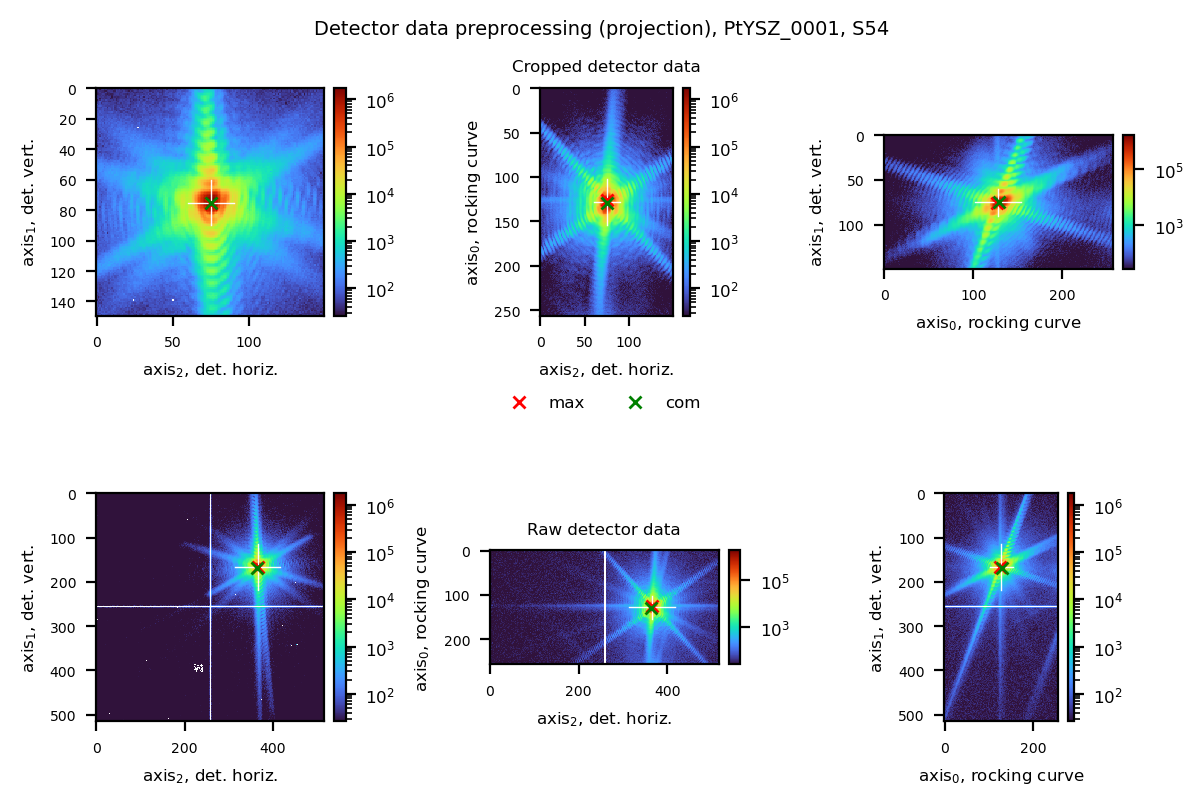
[INFO] Method(s) employed for the voxel reference determination are ['max', 'com', 'com'].
[INFO]
Chain centring:
- max: (126, 167, 365), value: 206113
- com: (129, 166, 365), value: 79442
- com: (129, 166, 365), value: 79442
[INFO] The reference voxel was found at (128, 166, 365) in the uncropped data frame.
The process_shape being (257, 150, 150), the roi used to crop the data is [0, 257, 91, 241, 290, 440].
[INFO]
Oversampling ratios calculated from diffraction pattern are: axis0: 3.7, axis1: 5.0, axis2: 4.4. If low-strain crystal, you can set PyNX 'rebin' parameter to (1.0, 2.0, 2.0)
[INFO]
Summary table:
╒═════════╤═════════════════════╤═══════════════════╤════════════════╤═════════════════╕
│ voxel │ uncrop. det. pos. │ crop. det. pos. │ dspacing (A) │ lat. par. (A) │
╞═════════╪═════════════════════╪═══════════════════╪════════════════╪═════════════════╡
│ ref │ (128, 166, 365) │ (128, 75, 75) │ 2.26532 │ 3.92366 │
├─────────┼─────────────────────┼───────────────────┼────────────────┼─────────────────┤
│ max │ (126, 167, 365) │ (126, 76, 75) │ 2.26554 │ 3.92403 │
├─────────┼─────────────────────┼───────────────────┼────────────────┼─────────────────┤
│ com │ (129, 168, 363) │ (129, 75, 75) │ 2.26532 │ 3.92366 │
╘═════════╧═════════════════════╧═══════════════════╧════════════════╧═════════════════╛
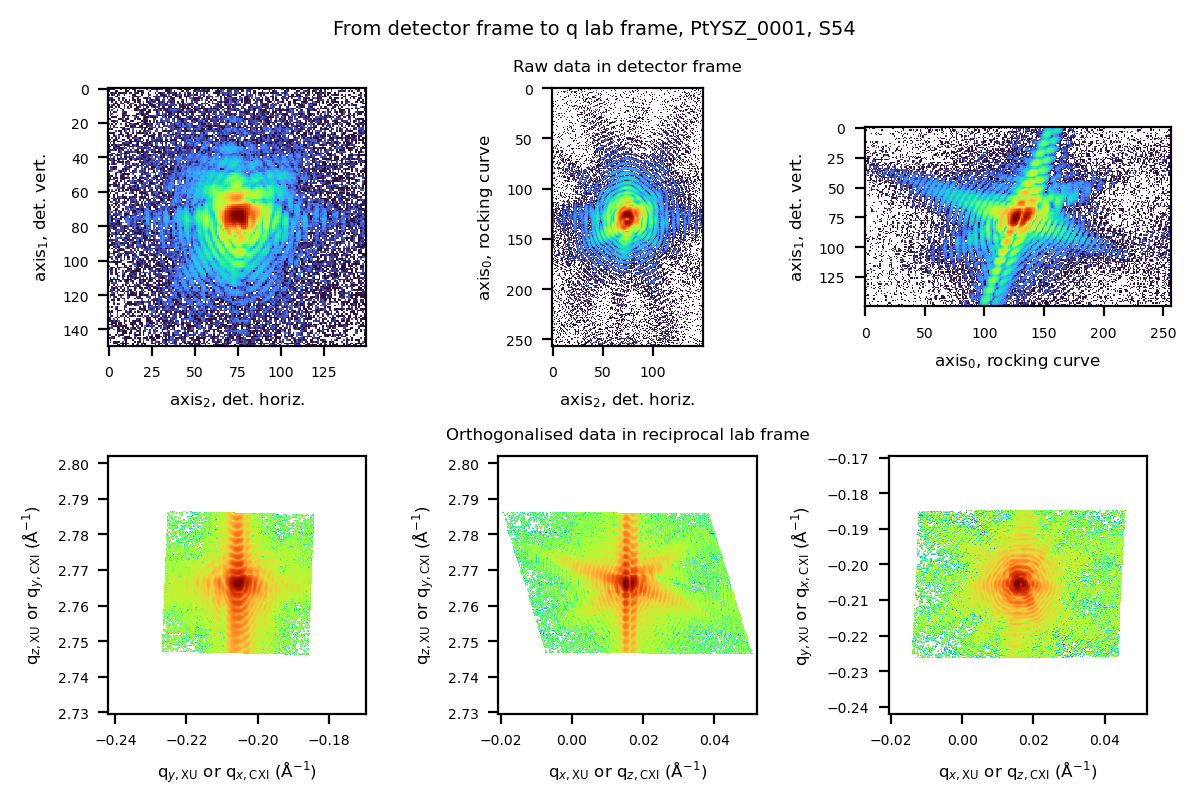
[INFO] Will linearise the transformation between detector and lab space.
[INFO]
Voxel size calculated from the extent in the reciprocal space is: [10.82302468
15.12350403 16.18969734] (nm).
[INFO] Pre-processed data file saved at:
/mnt/multipath-shares/scisoft/clatlan/dev/cdiutils/tests/results/PtYSZ_0001/S54//S54_preprocessed_data.cxi
[INFO]
Scan parameter file saved at:
/mnt/multipath-shares/scisoft/clatlan/dev/cdiutils/tests/results/PtYSZ_0001/S54//S54_parameters.yml
[INFO] Process preprocess completed successfully.
PyNX Phase Retrieval#
See the pynx.cdi documentation for details on the phasing algorithms used here.
Algorithm recipe
You can either:
provide the exact chain of algorithms.
or specify the number of iterations for RAAR, HIO, and ER.
algorithm = None # ex: "(Sup * (ER**20)) ** 10, (Sup*(HIO**20)) ** 15, (Sup*(RAAR**20)) ** 25"
nb_raar = 500
nb_hio = 300
nb_er = 200
psf = "pseudo-voigt,1,0.05,20"
Support-related parameters
support = "auto" # ex: bcdi_pipeline.pynx_phasing_dir + "support.cxi" (path to an existing support)
Note: If strain seems to large, don’t use “auto” (autocorrelation) but use “circle” or “square”, in combination with “support_size”
support_threshold = "0.15, 0.40" # must be a string
support_update_period = 20
support_only_shrink = False
support_post_expand = None # ex: "-1,1" or "-1,2,-1"
support_update_border_n = None
support_smooth_width_begin = 2
support_smooth_width_end = 0.5
Other parameters
positivity = False
beta = 0.9 # β parameter in HIO and RAAR
detwin = True
rebin = "1, 1, 1" # must be a string
Number of Runs & Reconstructions to Keep
nb_run = 20 # total number of runs
nb_run_keep = 10 # number of reconstructions to keep
Override defaults in ``phase_retrieval``
You can override any default parameter directly in the phase_retrieval method:
bcdi_pipeline.phase_retrieval(nb_run=50, nb_run_keep=25)
If a parameter is not provided, the default value is used.
Phase Retrieval GUI#
You can also launch a Graphical User Interface (GUI) to interactively set parameters and run phase retrieval.
bcdi_pipeline.phase_retrieval_gui()
In that case, you can take care of the the result analysis, the selection of the best reconstructions, and the mode decomposition. Then, simply jump to the post-processing step cell.
[ ]:
bcdi_pipeline.phase_retrieval(
clear_former_results=True,
nb_run=20,
nb_run_keep=5,
# support=bcdi_pipeline.pynx_phasing_dir + "support.cxi"
)
Analyse the phasing results#
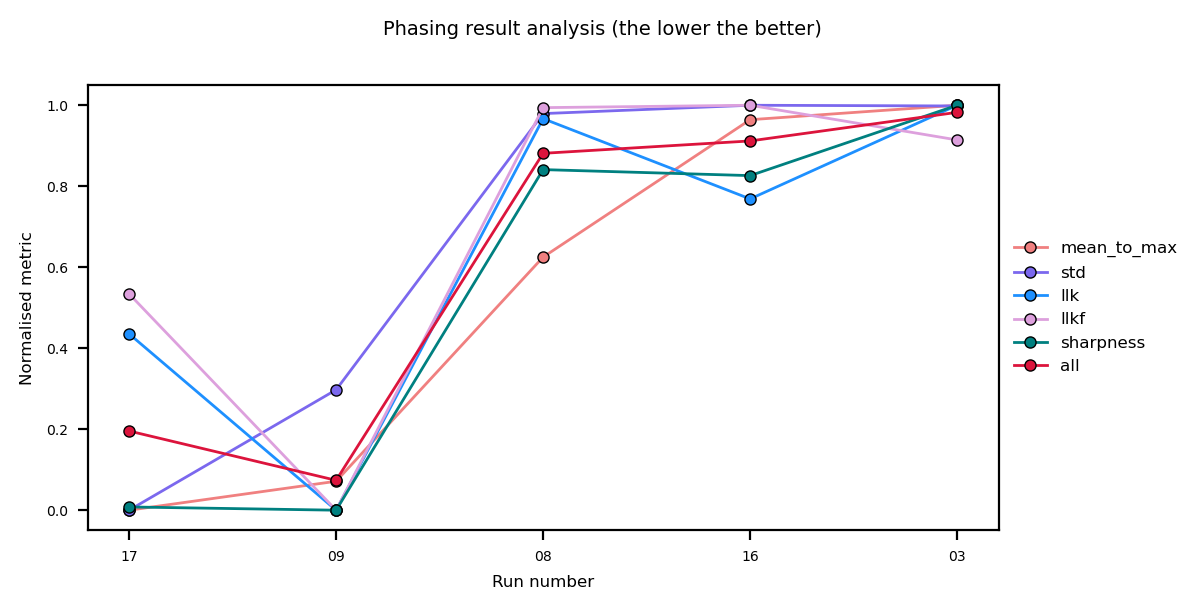
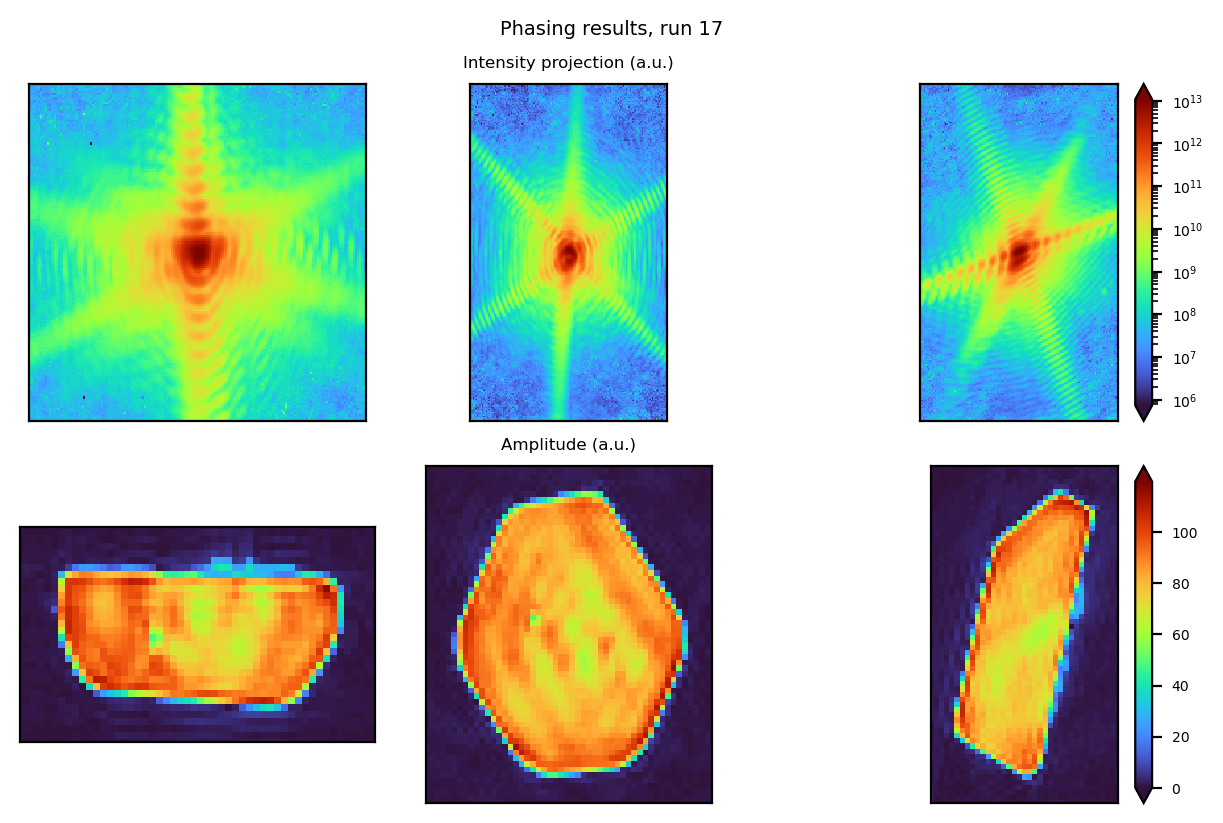
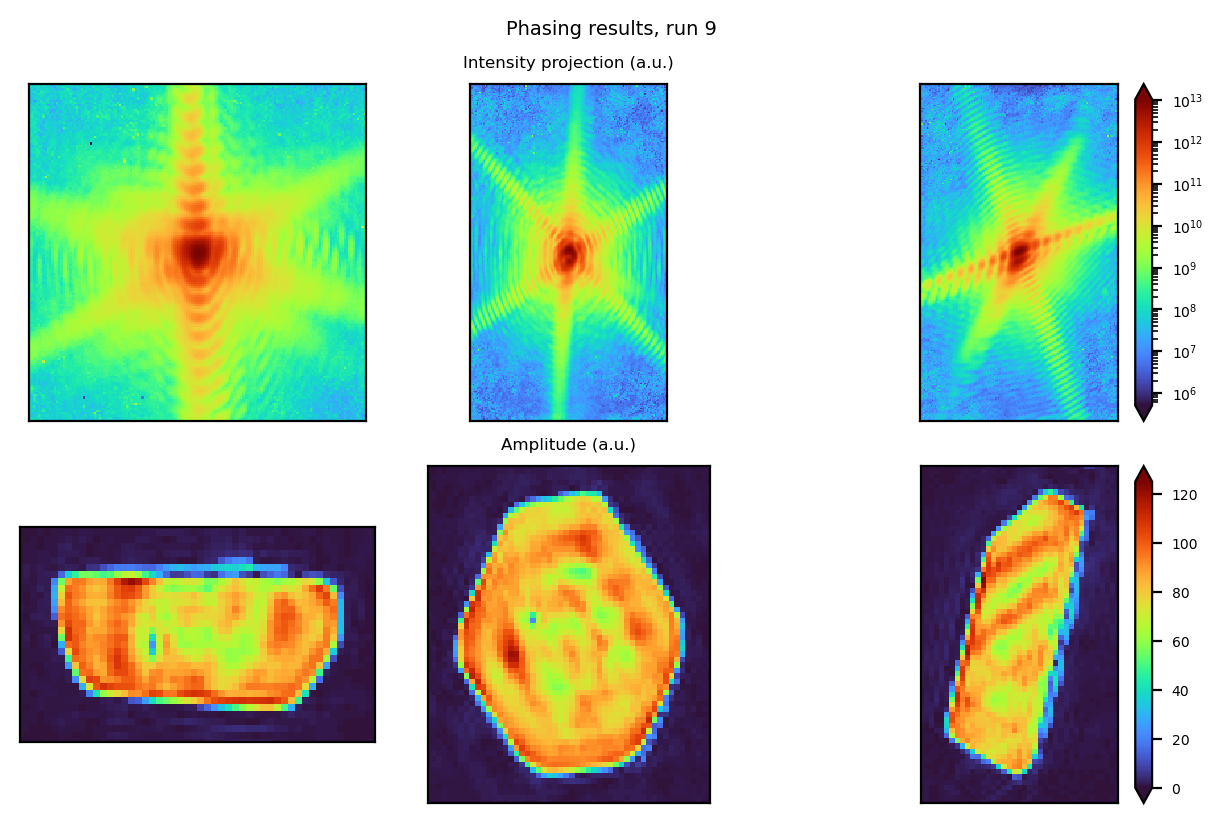
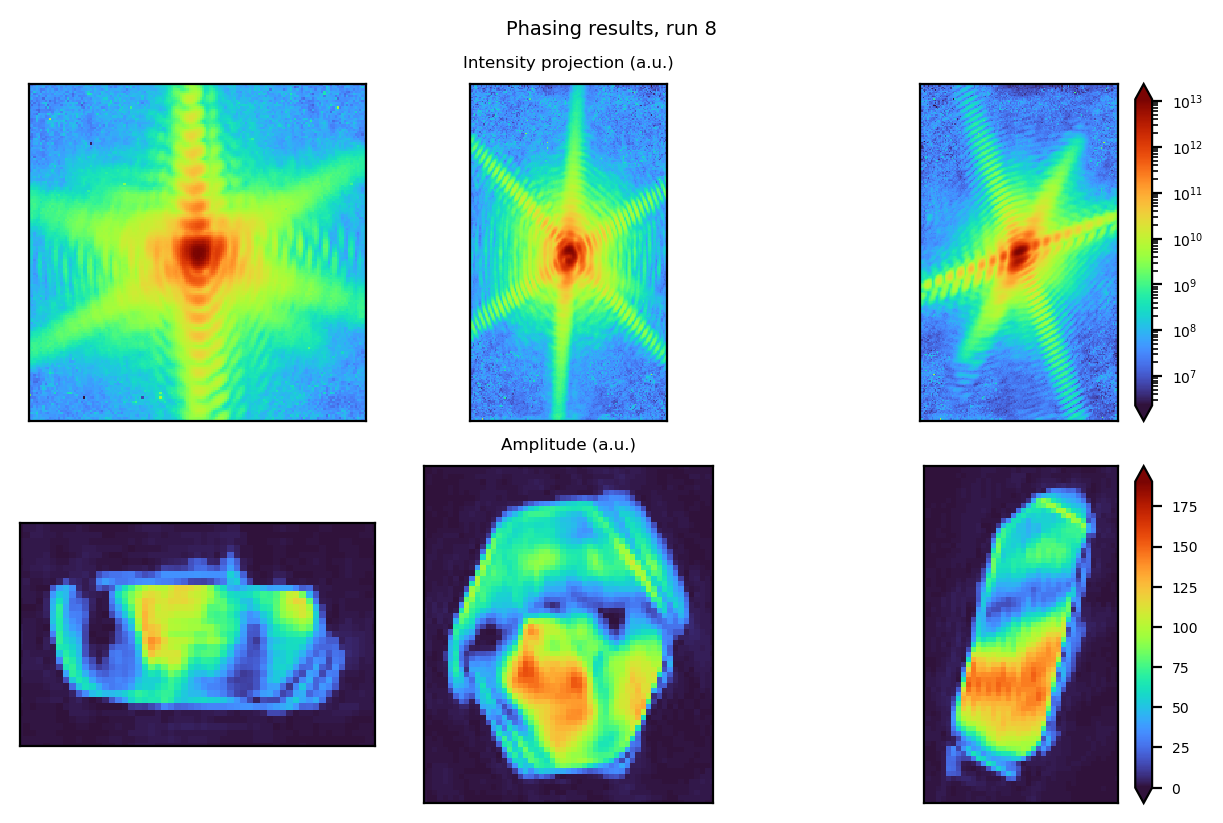
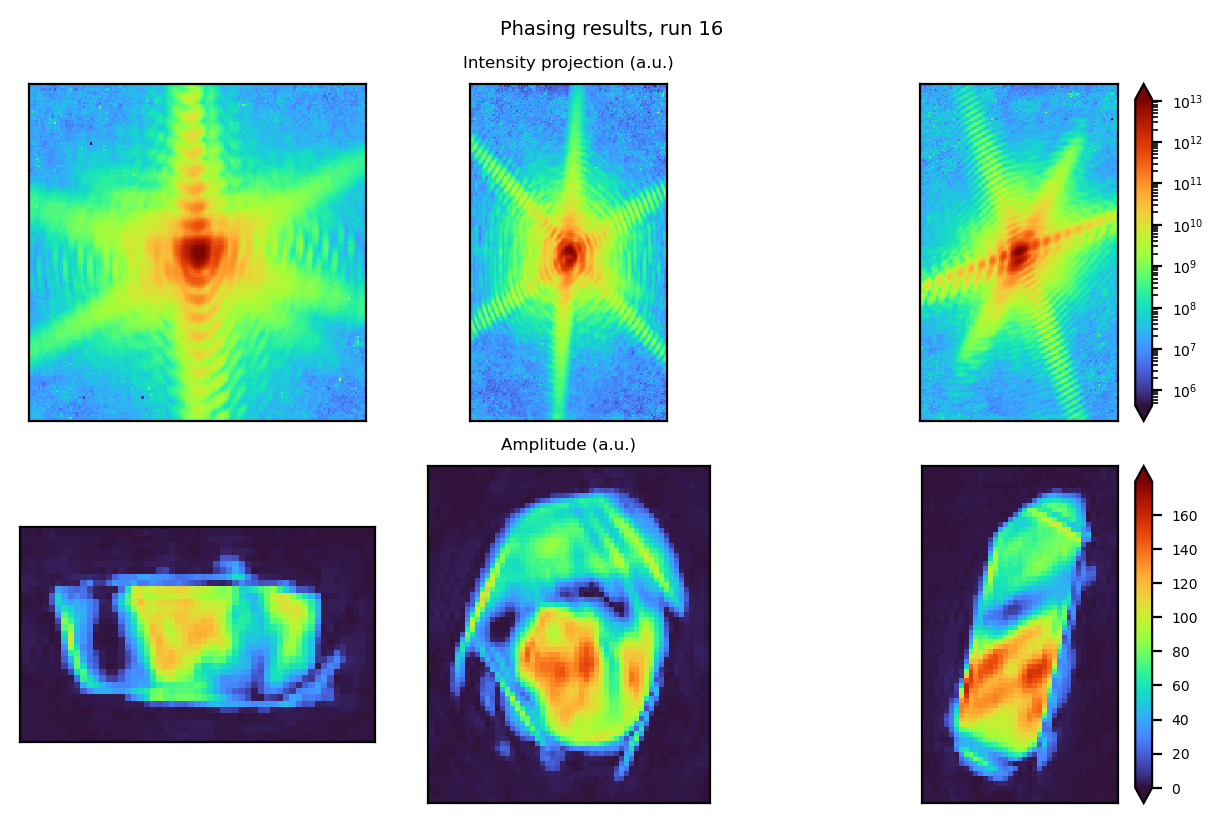
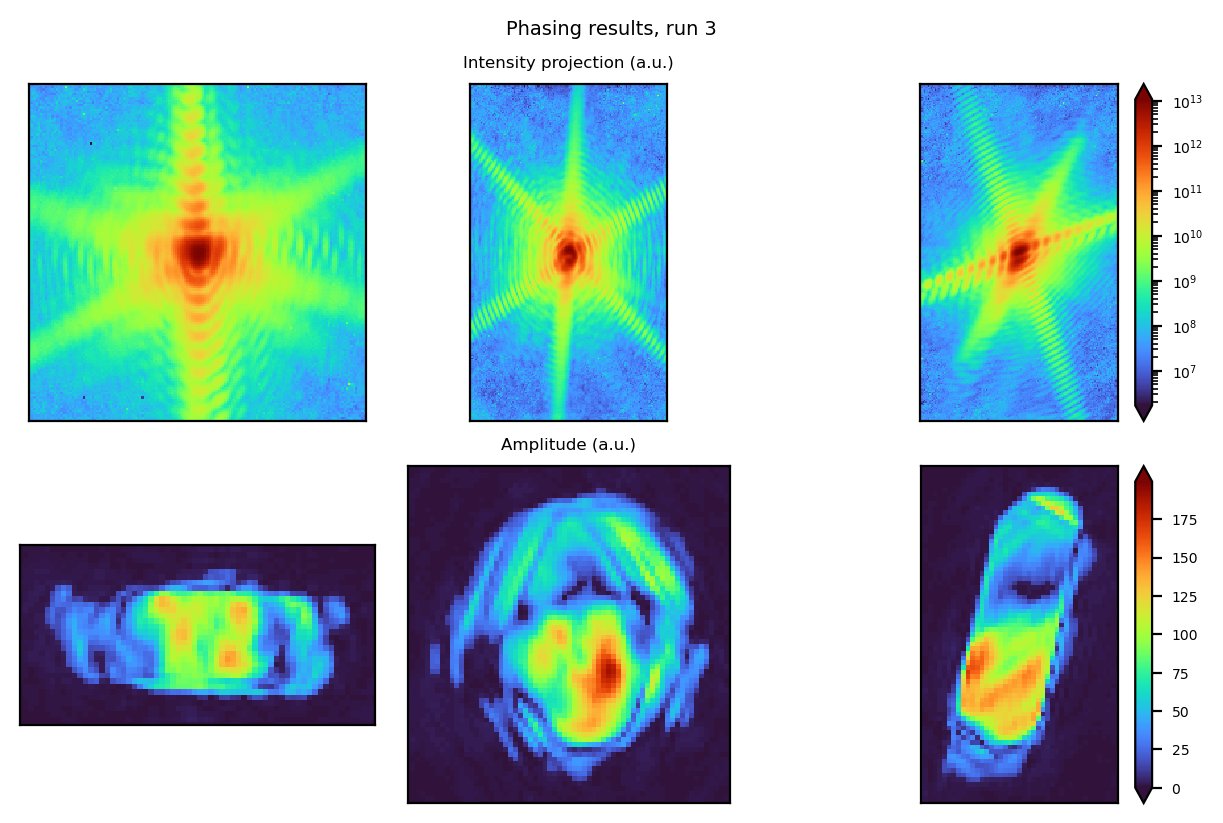
This step evaluates the quality of the phase retrieval results by sorting reconstructions based on a sorting_criterion.
"mean_to_max"→ Difference between the mean of the Gaussian fit of the amplitude histogram and its maximum value. A smaller difference indicates a more homogeneous reconstruction."sharpness"→ Sum of the amplitude within the support raised to the power of 4. Lower values indicate greater homogeneity."std"→ Standard deviation of the amplitude."llk"→ Log-likelihood of the reconstruction."llkf"→ Free log-likelihood of the reconstruction.
[14]:
bcdi_pipeline.analyse_phasing_results(
sorting_criterion="mean_to_max", # selects the sorting method
# Optional parameters
# plot_phasing_results=False, # uncomment to disable plotting
# plot_phase=True, # uncomment to enable phase plotting
)
[INFO] Computing metrics...
[INFO] the sorted list of runs using 'mean_to_max' sorting_criterion is:
['17', '09', '08', '16', '03'].
[INFO] Plotting phasing results...
Optionally, generate a support for further phasing attempts#
run→ set to either:"best"to use the best reconstruction.an integer corresponding to the specific run you want.
output_path→ the location to save the generated support. By default, it will be saved in thepynx_phasingfolder.fill→ whether to fill the support if it contains holes.Default:
False.
verbose→ whether to print logs and display a plot of the support.
[12]:
# bcdi_pipeline.generate_support_from("best", fill=False) # uncomment to generate a support
Selection of the best reconstructions & mode decomposition#
You can select the best reconstructions based on a sorting criterion and keep a specified number of top candidates.
nb_of_best_sorted_runs→ the number of best reconstructions to keep, selected based on thesorting_criterionused in theanalyse_phasing_resultsmethod above.best_runs→ instead of selecting based on sorting, you can manually specify a list of reconstruction numbers.
By default, the best reconstructions are automatically selected.
Once the best candidates are chosen, mode_decomposition analyses them to extract dominant features.
[15]:
# define how many of the best candidates to keep
number_of_best_candidates: int = 2
# select the best reconstructions based on the sorting criterion
bcdi_pipeline.select_best_candidates(
nb_of_best_sorted_runs=number_of_best_candidates
# best_runs=[10] # uncomment to manually select a specific run
)
# perform mode decomposition on the selected reconstructions
bcdi_pipeline.mode_decomposition()
[INFO] Best candidates selected:
['17', '09']
[INFO]
*******************************************************************************
* Starting process: mode_decomposition *
*******************************************************************************
[INFO]
R_match(1) = 21.942 %
[INFO]
First mode represents 98.803 %
[INFO] Process mode_decomposition completed successfully.
Post-processing#
This stage includes several key operations:
orthogonalisation of the reconstructed data.
phase manipulation:
phase unwrapping
phase ramp removal
computation of physical properties:
displacement field
strain
d-spacing
visualisation: Generate multiple plots for analysis.
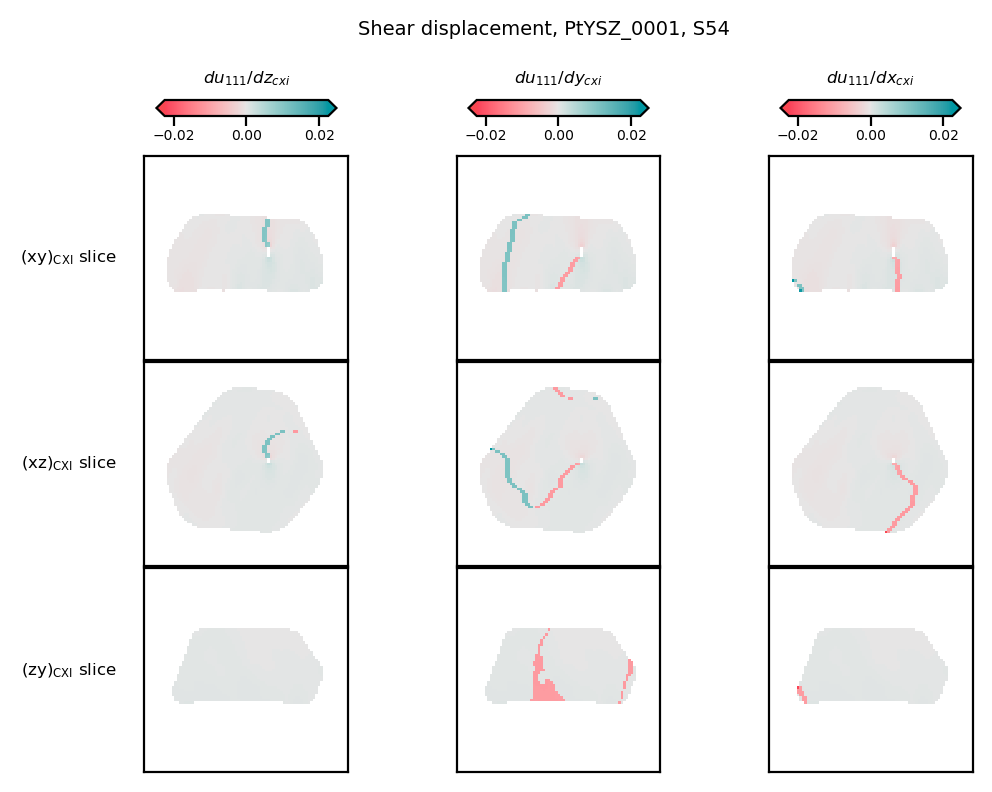
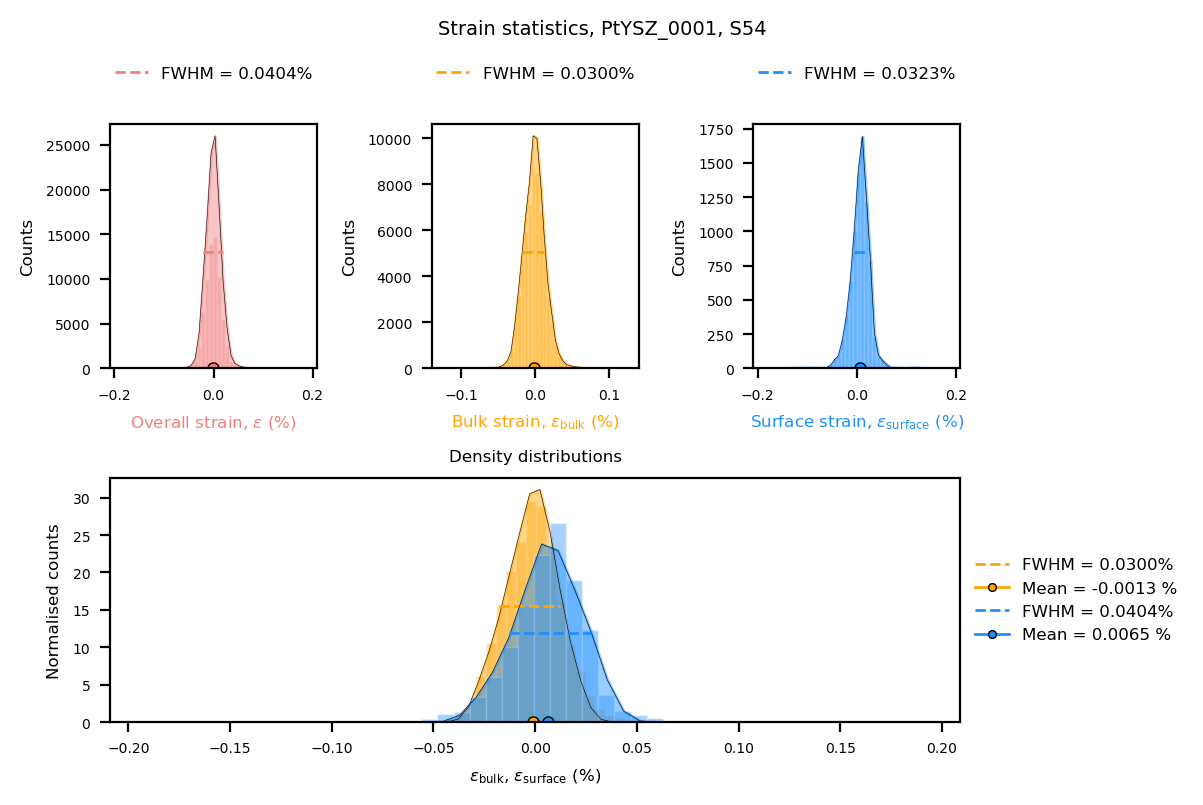
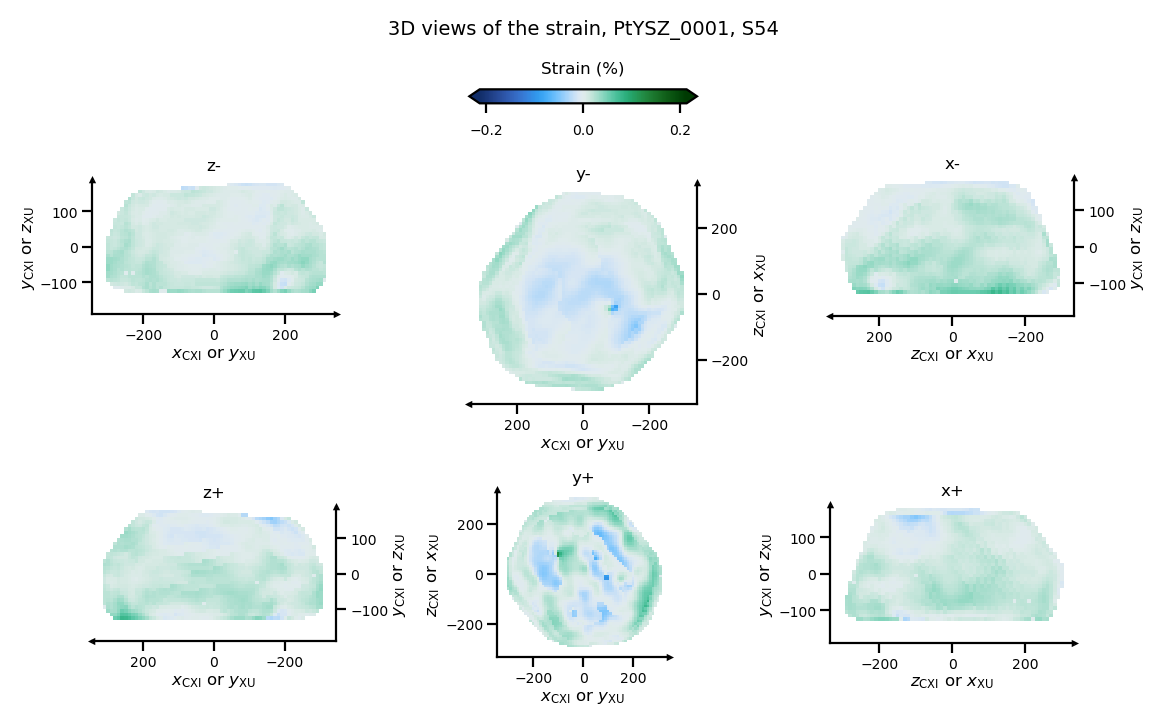
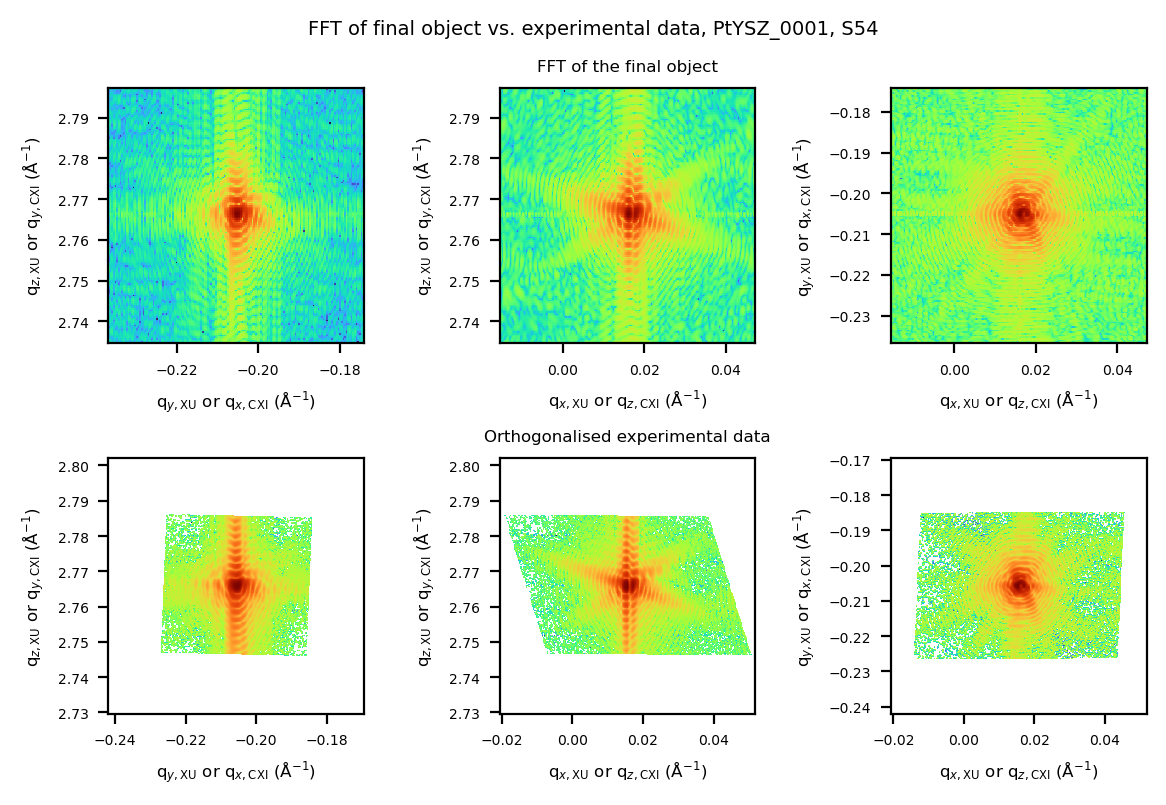
[16]:
bcdi_pipeline.postprocess(
isosurface=0.3, # threshold for isosurface
voxel_size=(10, 10, 10), # use default voxel size if not provided
flip=False, # whether to flip the reconstruction if you got the twin image (enantiomorph)
handle_defects=True, # whether to attempt to handle phase defects
)
[INFO]
*******************************************************************************
* Starting process: postprocess *
*******************************************************************************
[INFO] Additional parameters provided {'isosurface': 0.3, 'voxel_size': (10, 10, 10), 'flip': False, 'handle_defects': True}, will update the current dictionary of parameters.
[INFO] The oversampling ratios in each direction (original frame) are axis0: 4.7, axis1: 5.8, axis2: 3.8
[WARNING] Shapes before (257, 150, 150) and after (256, 150, 150) Phase Retrieval are different.
Check out PyNX parameters (ex.: auto_center_resize (now deprecated) and roi).
[INFO] Voxel size finally used is: (10, 10, 10) nm in the CXI convention.
[INFO] Apodizing the complex array using blackman filter.
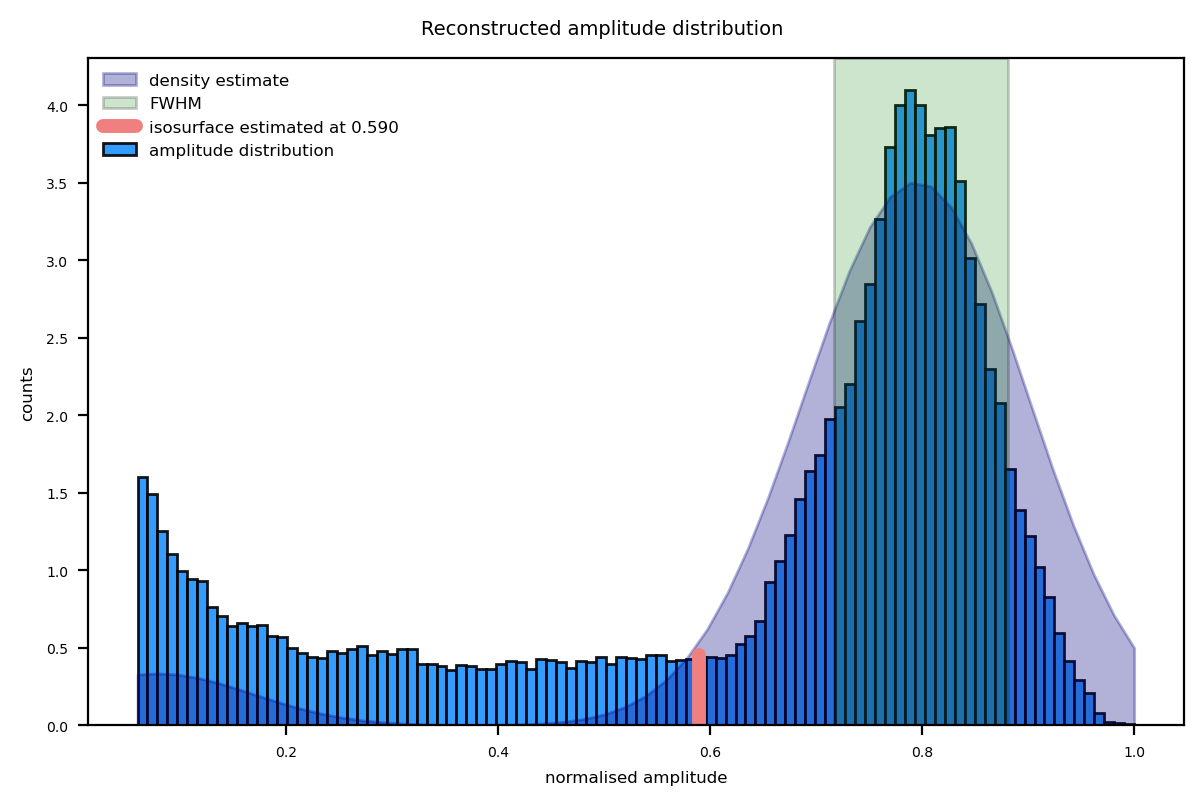
[INFO] Finding an isosurface estimate based on the reconstructed Bragg electron density histogram:
[INFO] Isosurface estimated at 0.58965649362277.
[INFO] Isosurface provided by user will be used: 0.3.
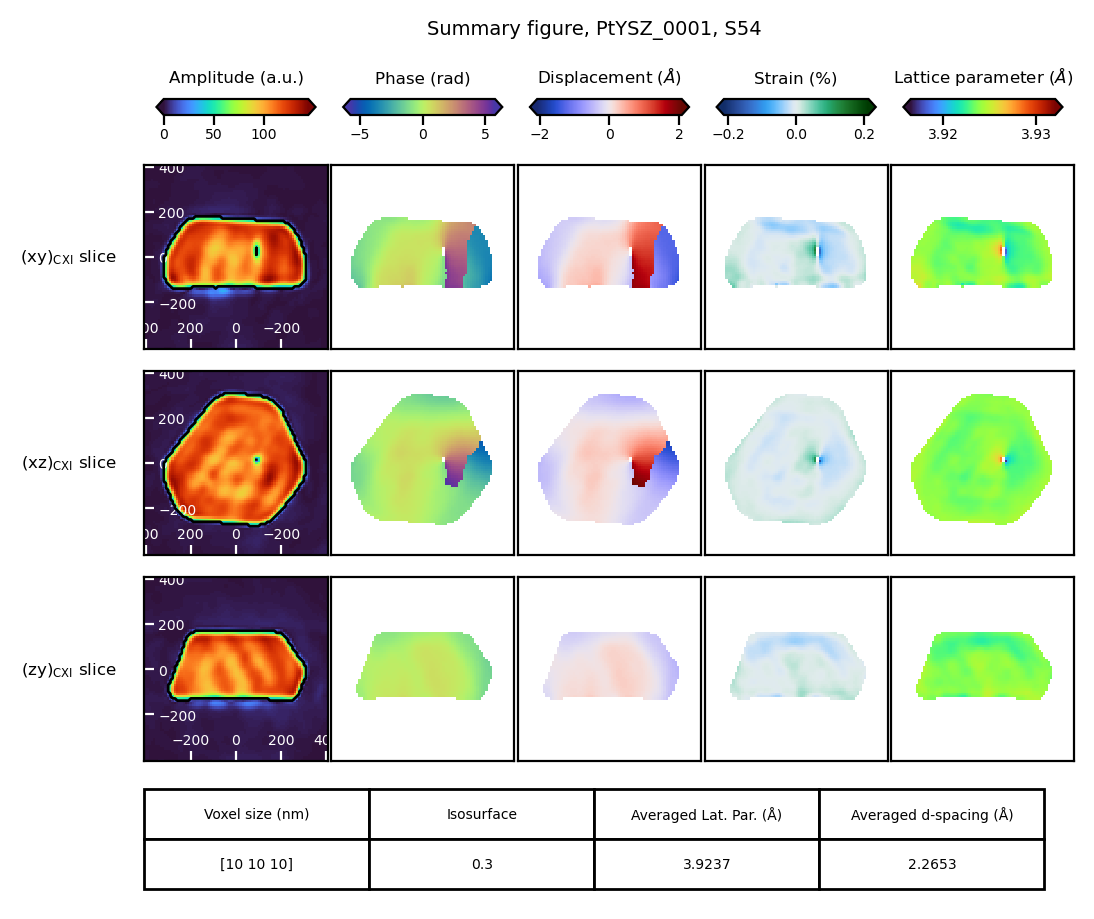
[INFO] Computing the structural properties:
- phase
- displacement
- het. (heterogeneous) strain
- d-spacing
- lattice parameter.
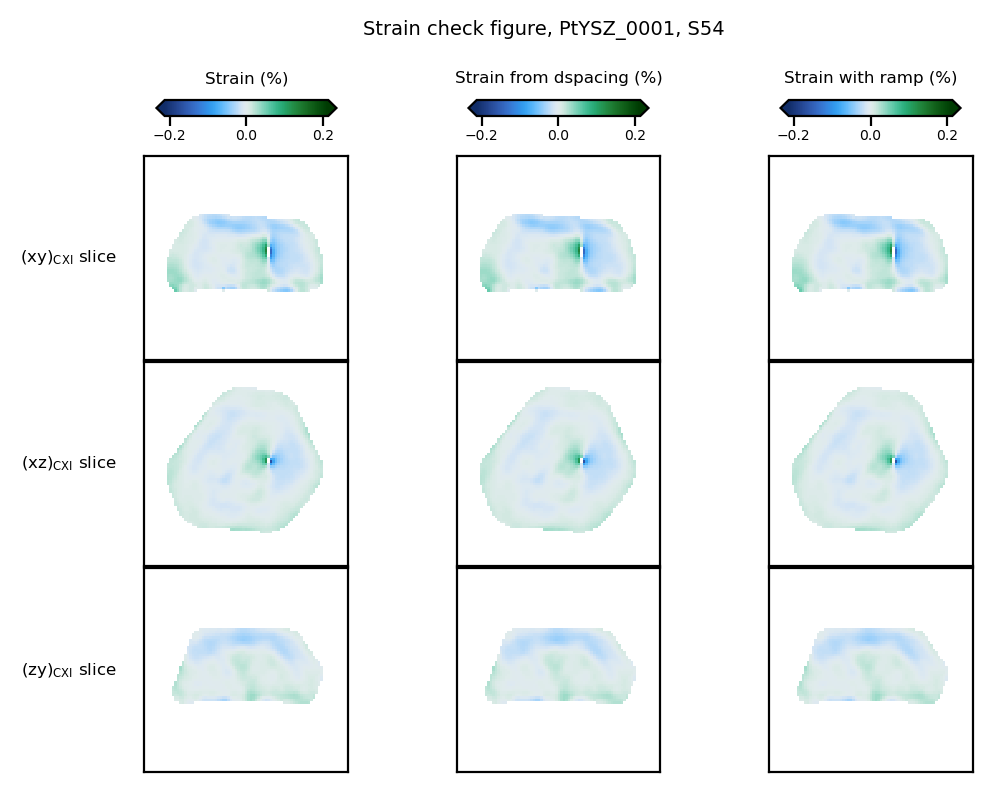
het. strain maps are computed using various methods, either phase ramp removal or d-spacing method.
The theoretical Bragg peak is (1, 1, 1).
[INFO] Defect handling requested.
[INFO] Post-processed data file saved at:
/mnt/multipath-shares/scisoft/clatlan/dev/cdiutils/tests/results/PtYSZ_0001/S54//S54_postprocessed_data.cxi
[INFO]
Scan parameter file saved at:
/mnt/multipath-shares/scisoft/clatlan/dev/cdiutils/tests/results/PtYSZ_0001/S54//S54_parameters.yml
[INFO] Process postprocess completed successfully.
3D interactive plot#
Display an interactive 3D isosurface of the final reconstruction and explore different quantities for colouring.
What you can do
Visualise an isosurface of the reconstructed object (amplitude / support).
Colour the surface by different quantities: amplitude, phase, displacement, strain, d-spacing, etc.
Interactively adjust:
isosurface threshold (isosurface level)
colormap and value range
Rotate, zoom and pan the scene with the mouse; use the toolbar to reset view or save a screenshot.
[4]:
bcdi_pipeline.show_3d_final_result()
[4]:
Feedback & Issue Reporting#
If you have comments, suggestions, or encounter any issues, please reach out:
Credits#
This notebook was created by Clément Atlan, ESRF, 2025. It is part of the cdiutils package, which provides tools for BCDI data analysis and visualisation. If you have used this notebook or the cdiutils package in your research, please consider citing the package clatlan/cdiutils You’ll find the citation information in the cdiutils package documentation.
@software{Atlan_Cdiutils_A_python,
author = {Atlan, Clement},
doi = {10.5281/zenodo.7656853},
license = {MIT},
title = {{Cdiutils: A python package for Bragg Coherent Diffraction Imaging processing, analysis and visualisation workflows}},
url = {https://github.com/clatlan/cdiutils},
version = {0.2.0}
}